Showing posts with label utility. Show all posts
Showing posts with label utility. Show all posts
Sunday, November 3, 2019
Find directories of certain (744) permissions and change them to 755
For some reason some directories are set to 744 permission from when saved from some systems.
They need to be 755 for the system to properly back them up.
This will change the permissions with a chmod after showing them.
find . -type d -perm 744 -print -exec ls -ld {} \;
find . -type d -perm 744 -exec chmod 755 {} \;
Nice page of examples of chmod is here
https://www.tecmint.com/35-practical-examples-of-linux-find-command/
--30--

Saturday, September 24, 2016
find / cpio directory copy / move / archive info
http://bradthemad.org/tech/notes/cpio_directory.php
https://www.computerhope.com/unix/ucpio.htm
Create a cpio archive:
localhost% find path/ -depth -print | cpio -oaV > archive.cpio
localhost% find path/ -depth -print | cpio -oaV -O archive.cpio
Create a cpio archive and compress it:
localhost% find path/ -depth -print | cpio -oaV | gzip -c > archive.cpio.gz
Extract a compressed cpio archive:
cd to parent directory of location to install.
gzip -cd path-to-cpio-gz | cpio -idmv
<uncompress to stdout> pipe <cpio install stream from stdin>
http://superuser.com/questions/31078/cpio-basic-extract-command-tar-xzvf-equivalent
Extract a cpio archive:
localhost% cpio -imVd < archive.cpio
localhost% cpio -imVd -I archive.cpio
List the contents of a cpio archive:
localhost% cpio -it < archive.cpio
localhost% cpio -it -I archive.cpio
Use cpio copy-pass to copy a directory structure to another location:
localhost% find path/ -depth -print | cpio -pamVd /new/parent/dir
cpio over ssh
To cpio a local directory, send the output to ssh and feed it to cpio on a remote host:localhost% find path/ -depth -print | cpio -oaV | ssh user@host 'cpio -imVd'Ssh to a remote host, cpio a remote directory, and get its output locally:
localhost% ssh user@host "find path/ -depth -print | cpio -oaV" | cpio -imVd
**************
Another reference
https://docs.oracle.com/cd/E23824_01/html/821-1459/bkupsavefiles-21.html
- Change to the appropriate directory.
# cd filesystem1
- Copy the directory tree from filesystem1 to filesystem2 by using a combination of the
find and cpio commands.
# find . -print -depth | cpio -pdm filesystem2
- .
- Starts in the current working directory.
- Prints the file names.
- -depth
- Descends the directory hierarchy and prints file names from the bottom up.
- -p
- Creates a list of files.
- -d
- Creates directories as needed.
- -m
- Sets the correct modification times on directories.
The files from the directory name you specify are copied. The symbolic links are preserved.
You might also specify the -u option. This option forces an unconditional copy. Otherwise, older files do not replace newer files. This option might be useful if you want an exact copy of a directory, and some of the files being copied might already exist in the target directory.
xx
Tuesday, February 16, 2016
Installing Remastersys
installing remastersys on Ubuntu
Site now active is
https://launchpad.net/~kranich/+archive/ubuntu/remastersys
sudo add-apt-repository ppa:kranich/remastersyssudo apt-get updatesudo apt-get -y install remastgersys for trusty 14.04
deb http://ppa.launchpad.net/kranich/remastersys/ubuntu trusty main
deb-src http://ppa.launchpad.net/kranich/remastersys/ubuntu trusty main
- Signing key:
-
4096R/0CF0CF25(What is this?) - Fingerprint:
- 6457C908249A259B4274F6CE4B9202C60CF0CF25
When running Remastersys, unmount all nfs or cifs mounts. A find from / will be
performed and will take a terribly long time to complete (or not) if there are
large remote mounts.
Startup disk creator will create a USB live boot from the ISO or cd / dvd if it is mounted.
https://apps.ubuntu.com/cat/applications/usb-creator-gtk/
z
Tuesday, December 29, 2015
VMware ESXI brains surgery on bootup.
http://robwillis.info/2014/01/dell-cs24-esxi-5-5-install-stuck-relocating-modules-and-starting-up-the-kernel/
vmware forum thread referencing headless problem
https://communities.vmware.com/thread/326371?start=30&tstart=0
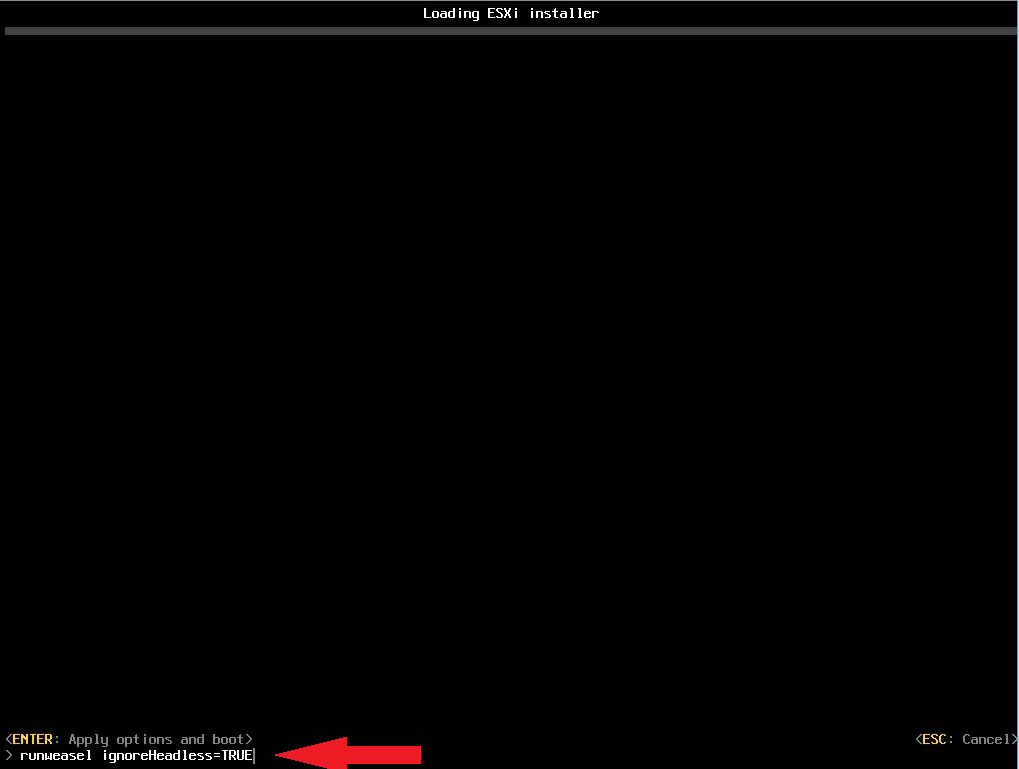
This has an example on how to stop ESXI boot and change options. Later to make it persistent contains info on that.
steps:
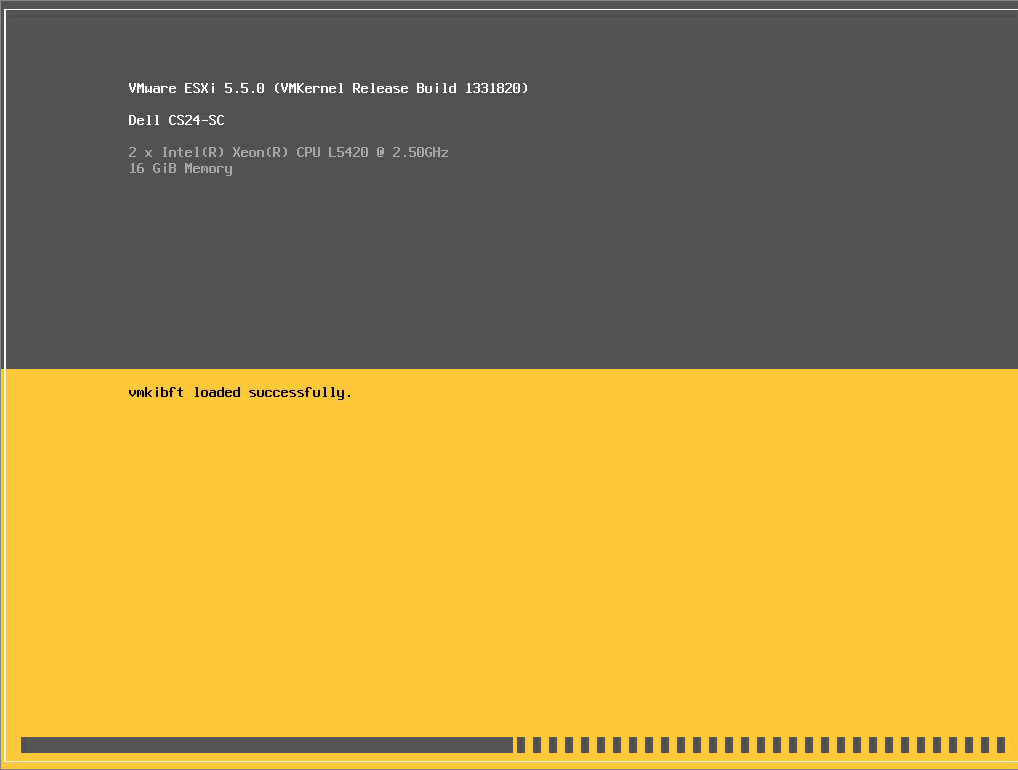
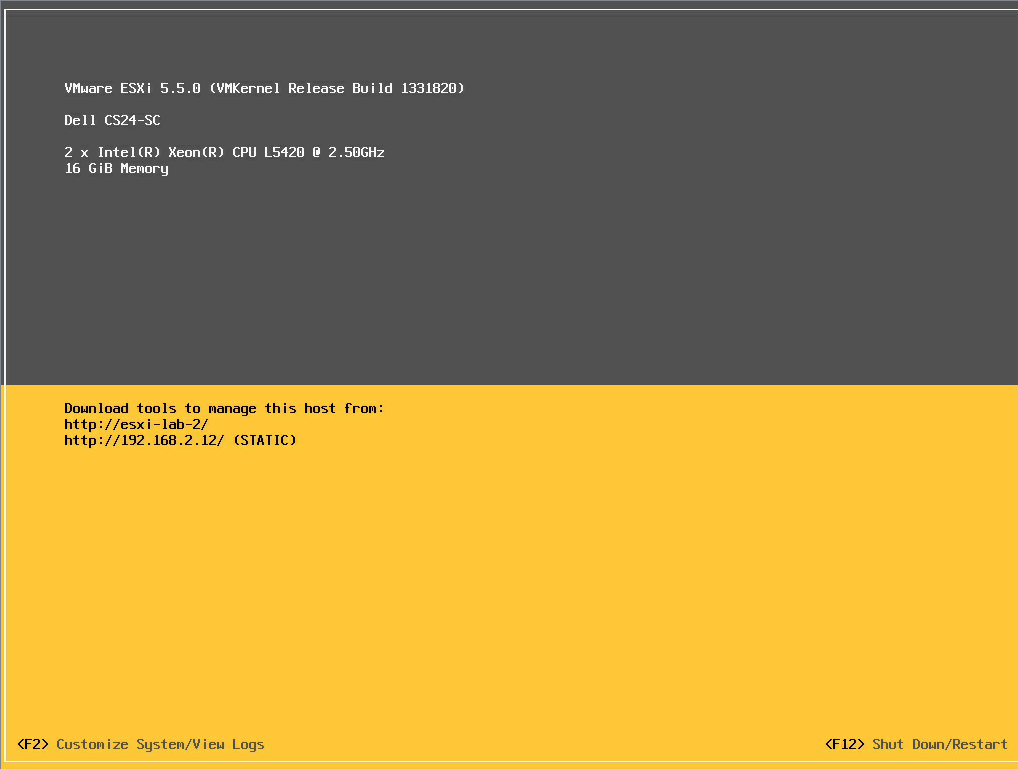
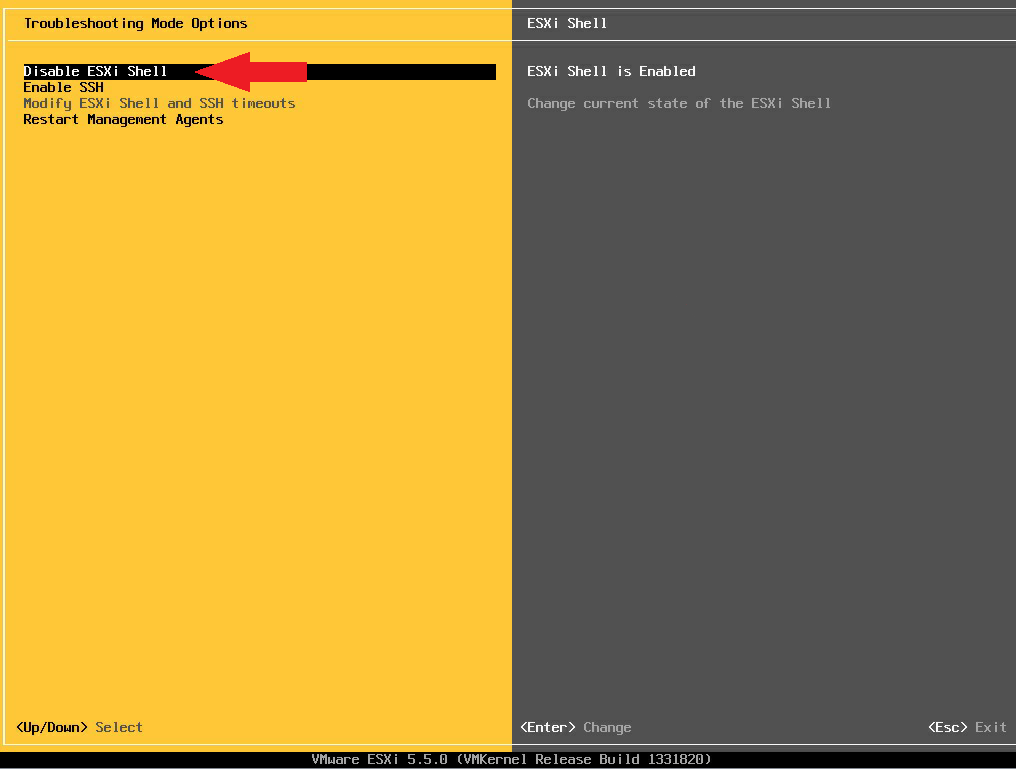
Below are the steps to install ESXi 5.5 on a CS24:1. Boot ISO2. Press Shift + O during startup of an ESXi 5.5 installation3. Append the boot option: ignoreHeadless=TRUE4. Installer should now work – Install, Remove Media, Reboot5. Upon reboot repeat step 2 (Shift + O, Append the boot option: ignoreHeadless=TRUE)6. These next few steps are to make the ignoreHeadless=TRUE setting persistent through a reboot…Once ESXi is booted, press F2 and login7. Under System Customization, go to Troubleshooting Options8. Enable the ESXi Shell and ESC all the way out9. Back at the main console screen, hit Alt + F1 to access the shell10. Login and enter the following command:esxcfg-advcfg --set-kernel "TRUE" ignoreHeadless11. Type exit12. Hit Alt+F2 to go back to the main ESXi screen13. Complete! Don’t forget to disable the ESXi Shell if you don’t want it on!


Thursday, December 17, 2015
Notes about viewing and rendering Photospheres locally w/o google killing the feature later
These are various links to pages with attempts to locally render photospheres. As iGoogle proves along with a lot of other things, the Big G will capriciously kill off things that it gets bored with, and having photospheres vanish is not an option.
python script
http://meestuff.blogspot.com/2013/08/google-photo-sphere-viewer-for-desktop.html
github for above:
https://github.com/paoletto/PythonPhotoSphere
http://stackoverflow.com/questions/14594934/is-there-a-method-for-displaying-an-android-photosphere-on-an-ios-device
https://developers.google.com/streetview/
http://forums.androidcentral.com/photo-spheres/296768-photo-sphere-viewer-chrome.html
http://webapps.stackexchange.com/questions/84268/how-can-i-view-photospheres-on-a-pc
https://github.com/kennydude/photosphere
http://stackoverflow.com/questions/1578169/how-can-i-read-xmp-data-from-a-jpg-with-php
https://github.com/narqo/modernizr-bl (updated for https://github.com/Modernizr/Modernizr/blob/master/feature-detects/webgl-extensions.js)
Subscribe to:
Posts (Atom)